
We're sorry, but we don't support Boomerang in your current browser. If you want to use Boomerang, you can install it in Chrome, Firefox, Safari, Edge, or Opera. Use the links below to download one of these browsers if you do not have one already.


By downloading Boomerang for Gmail, you agree to the Terms and Conditions of use.
By downloading Boomerang for Gmail below, you agree to the Terms and Conditions of use.
By downloading Boomerang for Gmail below, you agree to the Terms and Conditions of use.
Click the button below to download Boomerang for Gmail, if it hasn't started.
Click "Continue to installation" in the top-left corner of your Firefox browser window.
Click "Add".
You will see a Boomerang link in the top-right corner of your Gmail screen.
A "Boomerang" button will appear when you are reading a message in your inbox.
A "Send Later" button will appear when you are composing a new message.
By downloading Boomerang for Gmail below, you agree to the Terms and Conditions of use.
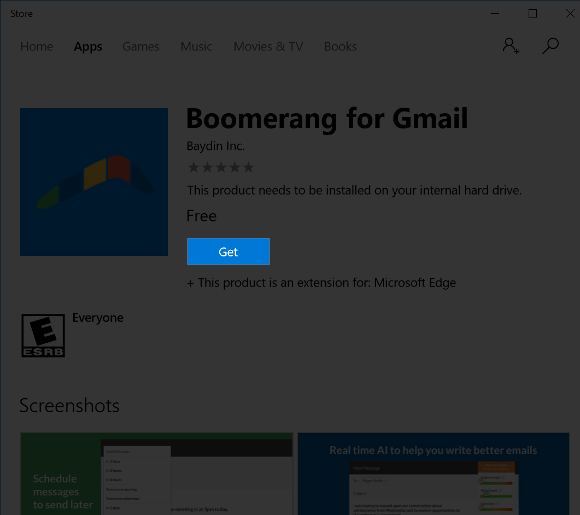
Windows 10 users can click here to launch the Windows Store listing for Boomerang for Gmail, if it hasn't already opened.
Look for the blue "Get" button in the Windows Store window and click on it. Boomerang should begin (and quickly finish) installing.
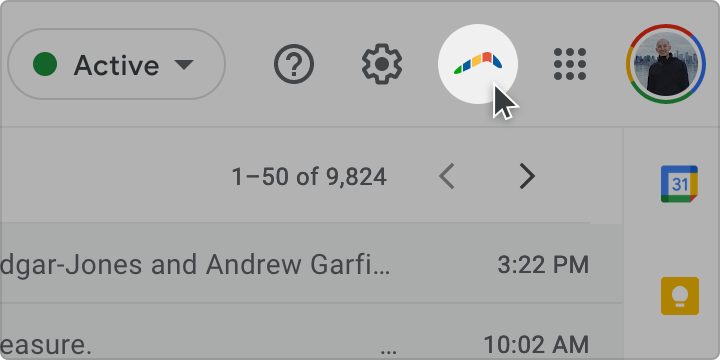
Once installed, you will see a Boomerang link in the top-right corner of your Gmail screen.
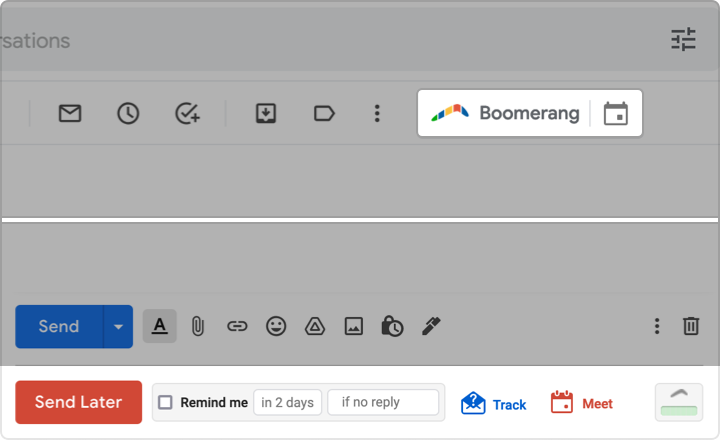
A "Boomerang" button will appear when you are reading a message in your inbox.
A "Send Later" button will appear when you are composing a new message.
By downloading Boomerang for Gmail below, you agree to the Terms and Conditions of use.
Click here to download Boomerang for Gmail, if it hasn't started. It will be saved to your Downloads folder.
Find boomerang-safari-1.1.dmg in your downloads folder, and double-click it to open.
Make sure to select “Open” when prompted.
You will see a Boomerang link in the top-right corner of your Gmail screen.
A "Boomerang" button will appear when you are reading a message in your inbox.
A "Send Later" button will appear when you are composing a new message.
Copyright © 2010-2017 Baydin, Inc. All Rights Reserved. Gmail is a registered trademark of Google. We are not affiliated with Google or Gmail, but we are happy to be part of their ecosystem!